TL;DR: There is no single "launch email tool," and trying to find one is why your stack feels broken. A launch needs four different email jobs done well: (1) waitlist nurture — keeping pre-launch signups warm for weeks or months; (2) newsletter / broadcast — the one-to-many updates that build an audience; (3) lifecycle / onboarding — the automated sequences that turn new signups into activated users after launch; and (4) transactional — the receipts, resets, and verifications that must arrive in milliseconds. Different jobs, different best tools. This guide maps each job to the right software, with verified June 2026 pricing — plus the deliverability section most launch email guides skip, which is the reason your launch-day blast lands in spam.
Why "one email tool" is the wrong question
Search for the best email marketing tools for a product launch and you'll get a list of newsletter apps, as if "email" were one activity. It isn't. The email a stranger gets the day they join your waitlist, the broadcast you send your whole list on launch morning, the onboarding nudge a brand-new customer gets at hour two, and the password-reset that has to land in under a second are four genuinely different problems. They have different deliverability requirements, different sending patterns, and — this is the part that bites founders — different tools that are actually good at them.
Most founders pick one newsletter tool, try to run all four jobs through it, and then can't understand why onboarding automations feel clumsy or why their transactional email is slow. The fix isn't a better single tool. It's recognizing that a launch maps onto a sequence of stages — what we call the Startup Launch Stack (Validate → Build audience → Launch day → First customers) — and that email shows up differently at each stage:
- Build audience stage → jobs 1 and 2: waitlist nurture and newsletter.
- Launch day → the launch announcement email (a broadcast, sent with care).
- First customers stage → jobs 3 and 4: lifecycle onboarding and transactional.
Here's the whole map before the detail.
The launch email stack at a glance
| Job | What it does | Top pick(s) | Best for | Price from |
|---|---|---|---|---|
| 1. Waitlist nurture (pre-launch) | Keep signups warm for weeks/months; verify + position updates | LaunchList (that's us) + a newsletter tool for broader nurture | Keeping a pre-launch list engaged without a separate ESP setup | Free (paid is one-time, not a subscription) |
| 2. Newsletter / broadcast | One-to-many updates that build an audience | Kit (formerly ConvertKit), Beehiiv | A free, owned email audience you won't outgrow soon | Free (Kit to 10,000 subs; Beehiiv to 2,500 subs) |
| 3. Lifecycle / onboarding | Automated sequences after signup; activation nudges | Loops, Customer.io (scale-up) | Turning new signups into activated, paying users | Free to 1,000 contacts (Loops), then from $49/mo |
| 4. Transactional | Receipts, resets, verifications — instant, reliable | Resend, Postmark | Code-triggered email that must always arrive fast | Free (Resend to 3,000/mo); Postmark from $15/mo |
Now the detail — what each job actually requires, and where each tool earns its place.
Job 1: Waitlist nurture — keep signups warm before you ship
This is the job most founders don't even realize is separate. You spend weeks building a pre-launch waitlist, and then... silence. Someone signs up in March, your launch is in June, and in between they hear nothing. By launch day half your list has forgotten who you are, and your "warm" audience converts like a cold one.
Waitlist nurture has two distinct sub-tasks, and they're easy to confuse:
The structural emails — verification, "you're #847 in line," "you moved up because three friends joined." These are tied to the waitlist mechanics themselves: confirming the address is real, communicating queue position, and powering the referral loop. A purpose-built waitlist tool handles these out of the box, because they're driven by the same system that tracks positions and referrals.
The nurture emails — the periodic "here's what we shipped this week," "here's a sneak peek," "here's the problem we're solving" updates that keep people emotionally invested between signup and launch. These are really newsletter-shaped, and the better home for them is a proper broadcast tool (Job 2 below).
Where a waitlist tool fits
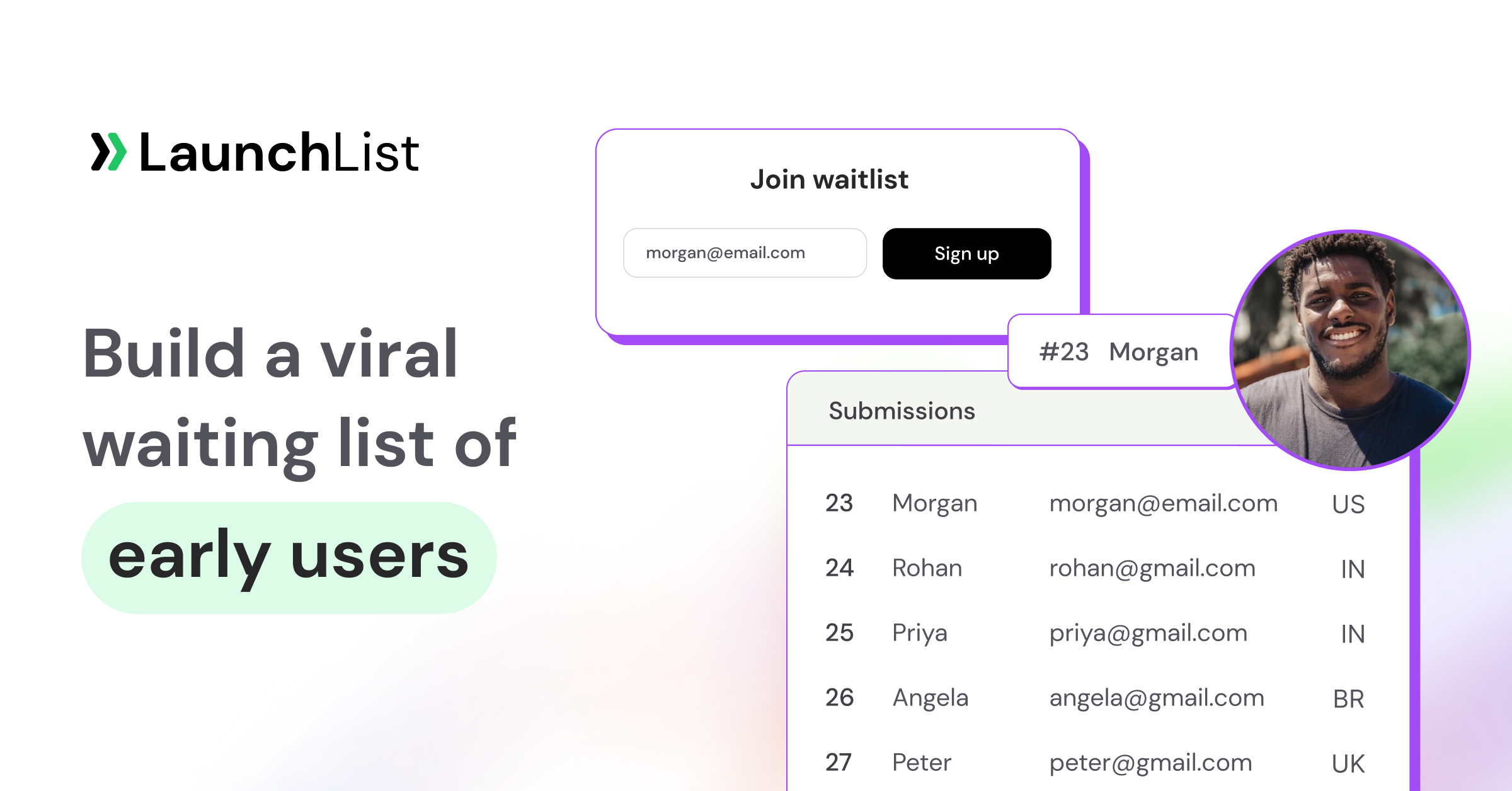
LaunchList (disclosure: this is our product) covers the structural side: every signup gets a confirmation email, a referral link, and a live queue position, and moves up by bringing friends. You can embed it on an existing site or use a hosted waitlist landing page if you don't have one yet. The position-update and referral emails fire automatically — that's the part you don't want to rebuild in a newsletter tool.
For the broader weekly nurture, don't try to force narrative campaigns through a waitlist tool — export or sync your list to a newsletter app and write real updates there. The two work together: waitlist tool owns the mechanics, newsletter tool owns the storytelling.
Best for: founders who want verification, queue position, and referral emails handled automatically while a list grows for weeks before launch.
Free internal tool: before you nurture, you need signups to nurture. Our guide on how to promote your waitlist covers the channels that actually fill a pre-launch list, and the pre-launch marketing checklist sequences the whole audience-building phase week by week.
Job 2: Newsletter / broadcast — build the audience you'll launch to
A newsletter tool is the workhorse of the Build audience stage. Its job is one-to-many: you write once, thousands of people read it. This is where your weekly waitlist updates live, where your build-in-public audience subscribes, and where the launch announcement itself will go out (more on that in a moment).
1. Kit (formerly ConvertKit)
Kit's free tier covers up to 10,000 subscribers — which for a pre-launch and early-launch founder is effectively free for a long time. It's built around the creator/founder use case: tag-based segmentation, simple automations, and broadcasts that don't require a design degree. If you want one tool to hold your audience from first signup through your first thousand customers, this is the safe default.
Best for: founders who want a free, owned email audience they won't have to migrate off for years.
2. Beehiiv
Beehiiv's free plan covers up to 2,500 subscribers and is the pick when the newsletter is a core channel, not just an announcement pipe — it leans into growth mechanics (referral programs, recommendation networks, a built-in subscribe-page) and reads more like a media product than a marketing tool. If you're building an audience-first launch where the newsletter compounds, Beehiiv is worth the look.
Best for: launches where the newsletter is a growth engine in its own right, not just a broadcast list.
The rule of thumb between the two: Kit if email is a channel that supports the product; Beehiiv if email is part of the product. Either one comfortably handles the single most important broadcast you'll send — the launch announcement.
The launch announcement email (the one broadcast that matters most)
Your launch announcement is a broadcast, but it's a broadcast with rules, because it's the email that converts months of audience-building into a spike.
Send it in two waves, not one. First, a quiet soft launch email to your waitlist a day or two before the public launch. This does two things: it gives your warmest audience first access (they feel rewarded for waiting), and it surfaces any broken links, typos, or checkout bugs while the audience is small and forgiving. Then, on launch day, the public announcement goes out.
What the announcement must contain:
- One clear sentence on what you launched and who it's for — not a feature list.
- A single primary call to action (one button, one link). Two CTAs is zero CTAs.
- The reason to act today — early-access pricing, a launch-week bonus, a Product Hunt link to support. A launch email with no urgency is a press release.
- A human sign-off. People backed you; let them hear from you.
Don't reinvent the wording from scratch. We keep a full set of waitlist email templates that get opened — subject lines, the soft-launch heads-up, the launch-day announcement, and the follow-up — written for exactly this sequence. Steal them.
Best for the announcement job: whichever newsletter tool already holds your audience (Kit or Beehiiv). Don't add a tool for a single send.
Turn the spike into revenue: the launch email gets the click; the next few emails get the sale. Here's exactly how to convert waitlist signups into paying customers — the sequencing, the early-bird window, and the access rollout that follows the announcement.
Job 3: Lifecycle / onboarding — turn new signups into activated users
The launch broadcast brings people in the door. What happens in the next 48 hours decides whether they stay. This is lifecycle email — automated, behavior-triggered sequences that run after someone signs up, in the First customers stage: welcome flows, activation nudges ("you haven't created your first project yet"), trial-expiry reminders, and re-engagement.
This is a fundamentally different shape of email from a newsletter. A newsletter is "send the same thing to everyone at once." Lifecycle is "send the right thing to one person based on what they did (or didn't do)." Trying to run real onboarding automations through a broadcast tool is where founders feel the pain most acutely — the triggers are clumsy, the branching is shallow, and you end up exporting CSVs.
1. Loops
Loops is built specifically for SaaS lifecycle email, with founders as the intended user: a clean visual editor, event-triggered sequences, and onboarding flows that don't require a marketing-automation certification to set up. The free tier covers up to 1,000 contacts and 4,000 sends, which is enough to run real onboarding through your first cohort of users; paid plans start from $49/month as you scale. For most launching founders, Loops is the right Job 3 tool — it does onboarding well without the enterprise weight.
Best for: the onboarding and activation sequences that turn launch-day signups into users who actually stick.
2. Customer.io
When your lifecycle needs outgrow a simple sequence builder — multiple products, complex segmentation, data-driven branching across many events — Customer.io is the scale-up. It's a heavier, more powerful platform built for teams running serious lifecycle programs, and it's overkill at launch. File it under "where you graduate to once onboarding is a job someone owns full-time," not where you start.
Best for: later-stage teams running complex, data-driven lifecycle programs across multiple products.
The handoff between Job 2 and Job 3 is the one founders miss: your newsletter tool keeps the marketing list; your lifecycle tool runs the product emails. They're different lists doing different work. Keeping them separate is a feature, not a redundancy.
Job 4: Transactional — the email that just has to arrive
Transactional email is the invisible job: email-verification links, password resets, receipts, "your export is ready" notifications. It's triggered by code, sent to one person, and it must arrive in seconds. Nobody markets with it, which is exactly why founders forget it until a customer can't reset their password at 2am.
Crucially, you should not send transactional email through your newsletter or lifecycle tool. Mixing a password-reset (which must always deliver) with marketing email (which sometimes gets filtered) on the same sending reputation is how you end up with resets in the spam folder. Transactional gets its own tool and ideally its own sending domain or subdomain.
1. Resend
Resend is the developer-first transactional choice that's become the default for new launches: a clean API, React-based email templating, and a free tier that covers up to 3,000 emails per month (capped at 100/day). Paid plans start from $20/month when you outgrow the free tier. If your team is comfortable wiring email into code — and for transactional, you have to be — Resend is the modern pick.
Best for: developer teams who want transactional email that's pleasant to integrate and free to start.
2. Postmark
Postmark has spent years building a reputation as the most reliable transactional sender, with deliverability and speed as its entire pitch — it keeps transactional and broadcast streams strictly separate precisely to protect inbox placement. Pricing starts from $15/month for 10,000 emails (with a free plan capped at 100 emails/month). If "the password reset must arrive, every time, fast" is the requirement, Postmark is the conservative, proven answer.
Best for: founders who want a battle-tested transactional sender with deliverability as the headline feature.
Deliverability: the part every launch email guide skips
You can pick all four tools perfectly and still have your launch land in spam. Deliverability — whether your email reaches the inbox at all — is the silent variable that decides your open rate before anyone reads a subject line, and most launch guides ignore it entirely. Here's what actually matters for a launch.
Sender reputation is the whole game. Mailbox providers (Gmail, Outlook) decide where your email lands based on how your sending domain has behaved over time: low complaint rates, real engagement, consistent volume. A brand-new domain has no reputation, and a domain that suddenly blasts thousands of emails on launch day after months of silence looks exactly like a spammer to the filters.
Why your launch-day blast gets spam-foldered. This is the most common and most painful launch email failure. You've spent months collecting a list, you stay quiet the whole time, and then on launch morning you send one enormous email to everyone at once. To a spam filter, that pattern — a cold domain, a huge sudden volume spike, a list with no recent engagement — is indistinguishable from a spam campaign. Half your launch announcement never reaches the inbox, and you never even know. The fix is partly the soft-launch wave above (it warms the list with a smaller send first) and partly the domain warming below.
Warm up a custom sending domain. Don't launch on a brand-new domain that has never sent a single email. Set it up weeks ahead, send small volumes to engaged recipients, and gradually increase. Configure SPF, DKIM, and DMARC properly — without them, modern providers may reject you outright. By launch day, your domain should have a track record, not a blank slate.
Double opt-in vs single opt-in: the real tradeoff. Single opt-in (someone is added the moment they submit the form) maximizes list size and is the right default for a high-intent waitlist — these people want in. Double opt-in (they must click a confirmation link in a follow-up email) shrinks your list but guarantees every address is real and engaged, which protects email deliverability over the long run. For a launch waitlist, single opt-in with strong upstream spam filtering is usually the better balance: you keep the conversion rate without polluting your list. If your acquisition channels are noisy (paid ads, viral referral loops), lean toward double opt-in.
Keep junk off the list in the first place. Deliverability is downstream of list hygiene. A clean list keeps your sender reputation healthy, and the cleanest list is one bad addresses never get onto. This is where signup-time spam protection matters: LaunchList blocks disposable email addresses and uses a honeypot field to stop bots before they ever land on your list — which means fewer bounces, fewer spam trap hits, and a healthier reputation when your launch email goes out. It's a small thing that quietly protects every email you send afterward. (We're biased here, but the principle holds regardless of tool: a list full of fake addresses will sink your deliverability no matter how good your sending app is.)
How to assemble your launch email stack
You don't need all four tools on day one. Add them in the order the launch actually unfolds:
- Start with Jobs 1 and 2 (Build audience). A waitlist tool for the mechanics plus one newsletter tool (Kit or Beehiiv) for nurture and the eventual announcement. Both have real free tiers — this stage costs $0.
- Add Job 3 (lifecycle) when you have signups to onboard. Loops' free tier covers your first 1,000 contacts, so you can wait until launch is imminent before setting up onboarding flows.
- Add Job 4 (transactional) when your product sends code-triggered email — verifications, receipts, resets. Resend's free tier covers a launch; Postmark if reliability is the priority.
The honest math: a complete launch email stack runs $0 through your first cohort of users if you use the free tiers (Kit, Loops, Resend) plus a waitlist tool. Real cost only kicks in as your numbers grow — which is the correct direction for costs to point.
Two rules that survive contact with reality:
- Don't force four jobs into one tool. The newsletter tool that's great at broadcasts is mediocre at onboarding automation and wrong for transactional. Use the right tool per job; the integrations between them are a solved problem.
- Protect deliverability from day one. A clean list and a warmed domain matter more than which sending app you pick. The best email tool can't rescue a cold-blast to a junk-filled list.
FAQ
What email tools do I need for a product launch?
Four, ideally, because a launch involves four different email jobs: a waitlist tool for pre-launch nurture and referral mechanics (like LaunchList), a newsletter tool for broadcasts and the launch announcement (Kit, free to 10,000 subscribers, or Beehiiv), a lifecycle tool for onboarding new users (Loops, free to 1,000 contacts), and a transactional tool for receipts and resets (Resend, free to 3,000 emails/month, or Postmark). You can run the whole stack on free tiers until you have paying users.
Can't I just use one email tool for my whole launch?
You can, and many founders try — but you'll feel the seams. Newsletter tools are great at broadcasts and clumsy at behavior-triggered onboarding, and you should never run transactional email (password resets, receipts) through your marketing tool, because mixing the two on one sending reputation can land your critical emails in spam. The jobs are genuinely different, and the tools that are best at each are different.
Why did my launch email land in spam?
Almost always because you sent a large burst of email from a cold or under-warmed domain to a list that hadn't heard from you in months. To a spam filter, a sudden volume spike with low recent engagement looks identical to a spam campaign. Fix it by warming your sending domain ahead of time, configuring SPF/DKIM/DMARC, keeping your list clean (block disposable addresses and bots at signup), and sending a smaller soft launch wave before the full blast.
Should a launch waitlist use single or double opt-in?
For most high-intent waitlists, single opt-in is the better default — the people signing up genuinely want in, and double opt-in just costs you signups. The exception is noisy acquisition (paid ads, aggressive referral loops), where double opt-in protects your list quality. Either way, pair it with signup-time spam protection so fake and disposable addresses never reach your list, because list hygiene protects deliverability more than the opt-in choice does.
What's the best free email tool for a launch?
It depends on the job. For the newsletter/announcement, Kit is free to 10,000 subscribers and Beehiiv to 2,500. For lifecycle onboarding, Loops is free to 1,000 contacts. For transactional, Resend is free to 3,000 emails a month. And LaunchList's free plan covers the waitlist nurture and referral mechanics. There's no single free tool that does all four well — which is exactly why a launch email stack is four tools, not one.
Building toward a launch? The email job that pays for itself first is waitlist nurture — so put up a waitlist today, start collecting the audience you'll eventually announce to, and worry about the rest of the stack as launch day gets closer.